
A START, AN END, AND ROOM BETWEEN
Migraine attack timer.
Keep the timing together.
You do not always know when an attack will end when you begin an entry. Calmira lets you record it as ongoing, keep a timer in the app, and add the end when you are ready.
Download on the App StoreFor iPhone. Free to download. Optional in-app purchases.
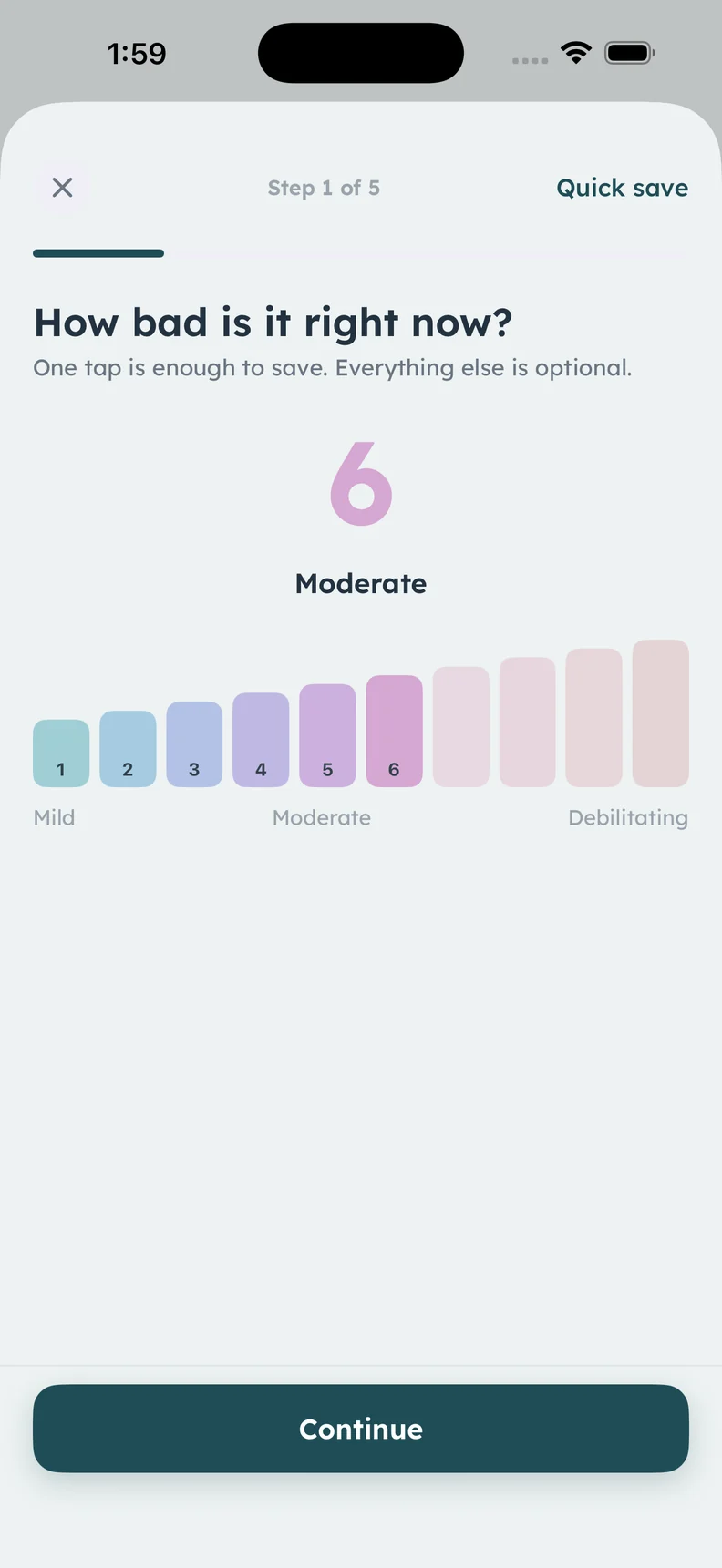
Real attack logging screen. The running timer itself is not pictured.
A CLOSER LOOK
What it helps
you keep track of.
- Start time with each recorded attack
- An ongoing-attack option
- An in-app timer while the attack continues
- End an attack from Home or Calendar
Begin with the time you actually know
An attack entry can include its start time and an end time if it is already over. If you are recording from memory, use your best estimate and note that it is approximate. A precise-looking timestamp is not more useful when it hides uncertainty about when symptoms began.
Leave an ongoing entry open
When an attack is still happening, Calmira can keep it open with a live timer inside the app. You do not have to predict an end time in order to save the initial record. Add the symptoms, pain location, and other details you want to retain when you are able.
End the record when it fits your experience
The app supports ending an attack from Home, Calendar, or the “I feel okay” tile. Check the resulting entry and add a note if different symptoms eased at different times. The timer records an interval you selected; it is not a medical assessment that an attack has ended.
Use duration as part of the full history
Timing can sit beside symptoms, medicine details, and possible factors in the same entry, then appear in the history you review. Keep it descriptive. Your recorded duration describes your own entry and can help you return to the relevant period of history.
ABOUT THIS FEATURE
A little more clarity.
Can I log an attack after it has ended?
Can I save an entry without knowing its end time?
KEEP THE PICTURE CONNECTED
Connect the rest of your diary.
Keep the detail, the context, and the conversation connected. Explore the tools and guidance that fit this part of your routine.
Keep a migraine diary in Calmira
Keep a migraine diary on your iPhone with Calmira. Record attack timing, pain, symptoms, possible triggers, medicines, and notes in one place.
Take a closer look In the appReview your headache calendar
Review recorded attack days, pain levels, and day details in Calmira’s headache calendar. Keep a monthly view beside your detailed migraine diary.
Take a closer look Practical guideMigraine Log Example: What to Record in One Entry
See a clearly fictional migraine log example and learn how to record timing, symptoms, medicines, impact, and uncertainty without filling every field.
Take a closer lookYOUR NEXT CHAPTER, WITH A LITTLE MORE CONTEXT
Start with today.
Let the picture build.
Your next entry doesn't have to be perfect. It just has to be yours.
For iPhone · iOS 17 or later
Free to download. Optional in-app purchases.