CHOOSE THE LOOK THAT SUITS YOU
Migraine diary dark mode.
A look that suits you.
A calmer interface starts with a choice. Calmira offers a soft light appearance, two dark options, and a setting that follows your iPhone’s appearance.
Download on the App StoreFor iPhone. Free to download. Optional in-app purchases.
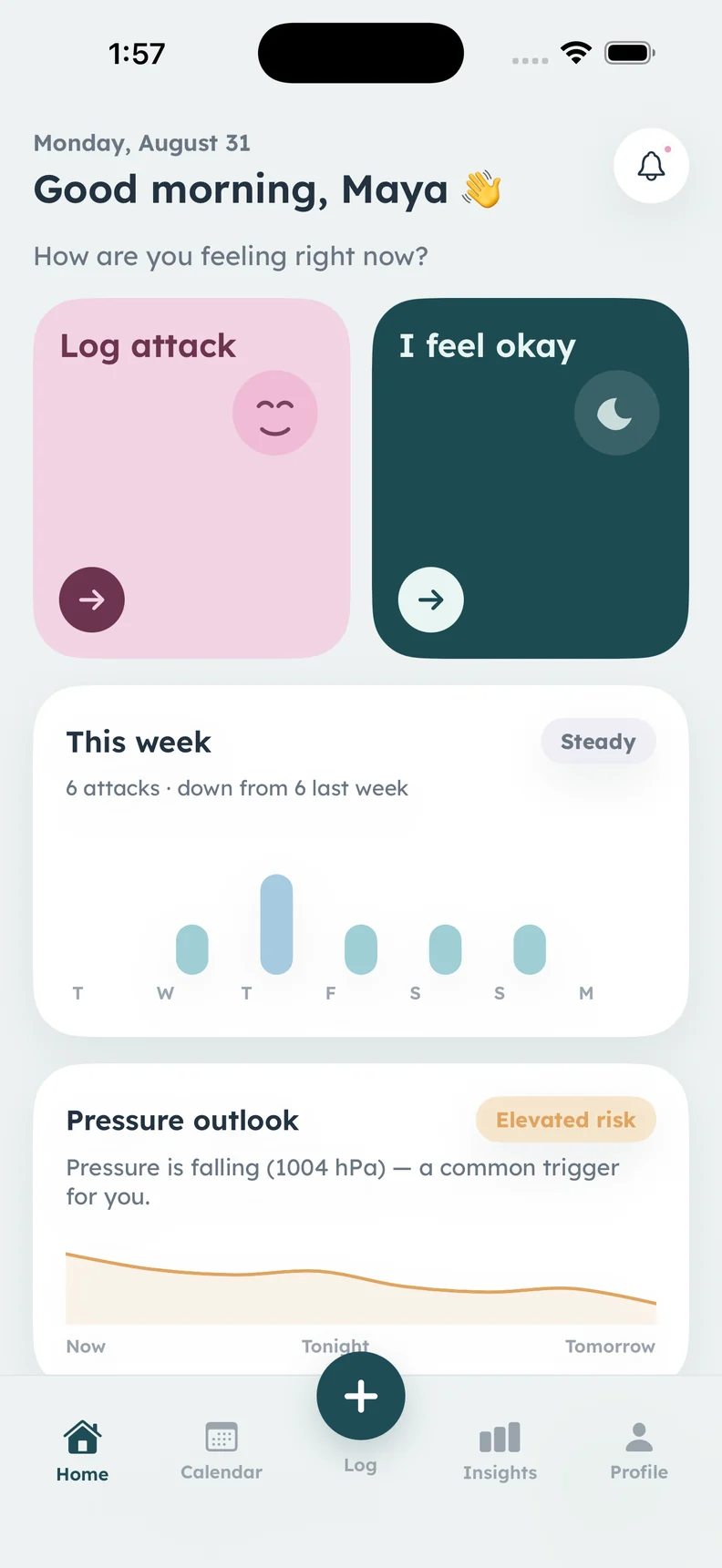
Soft Pastel is shown in this real screenshot. Dark-theme screens are not pictured.
A CLOSER LOOK
What it helps
you keep track of.
- Soft Pastel light appearance
- Calm Dark with a deep blue-grey background
- True Dark with black backgrounds
- System appearance that follows your iPhone
Start with Soft Pastel
The light theme uses a pale background, white cards, and Calmira’s teal accent, with soft colors for supporting information. This is the appearance shown in the website’s real app screenshots. The design is a visual preference, not a claim that a color palette treats or prevents migraine.
Choose between two dark appearances
Calm Dark uses deep blue-grey backgrounds with lighter text and teal accents. True Dark uses a black background with muted text and accents. Choose the appearance that feels easier for you to use; there is no universal theme that will suit everyone on every day.
Let System appearance follow your phone
The System option uses Soft Pastel when the device is in light mode and Calm Dark when it is in dark mode. It gives you a way to follow the iPhone setting rather than making a separate appearance choice each time you open the diary.
Keep reports clear for sharing
Doctor reports stay light regardless of the app theme. That keeps the exported document consistent when previewing or printing. Appearance choices change how the app looks, not the entries you recorded, the meaning of a pain score, or the medical significance of a summary.
ABOUT THIS FEATURE
A little more clarity.
Does dark mode treat light sensitivity or migraine?
Will my doctor report be dark if the app is dark?
KEEP THE PICTURE CONNECTED
Connect the rest of your diary.
Keep the detail, the context, and the conversation connected. Explore the tools and guidance that fit this part of your routine.
Choose your app language
Calmira supports 13 app languages, including English, Spanish, Arabic, Hebrew, French, German, and Japanese, with localized reports and notifications.
Take a closer look In the appKeep a migraine diary in Calmira
Keep a migraine diary on your iPhone with Calmira. Record attack timing, pain, symptoms, possible triggers, medicines, and notes in one place.
Take a closer look Calmira informationUnderstand Calmira’s data practices
Read Calmira’s full app privacy policy here, including local storage, optional AI processing, analytics, your choices, and website data practices.
Take a closer lookYOUR NEXT CHAPTER, WITH A LITTLE MORE CONTEXT
Start with today.
Let the picture build.
Your next entry doesn't have to be perfect. It just has to be yours.
For iPhone · iOS 17 or later
Free to download. Optional in-app purchases.