
KEEP WHERE AND HOW MUCH TOGETHER
Headache pain map.
Keep the detail.
Where it hurt and how intense it felt can be easy to forget. Calmira’s head map and pain scale help you keep those two observations beside the rest of your attack record.
Download on the App StoreFor iPhone. Free to download. Optional in-app purchases.
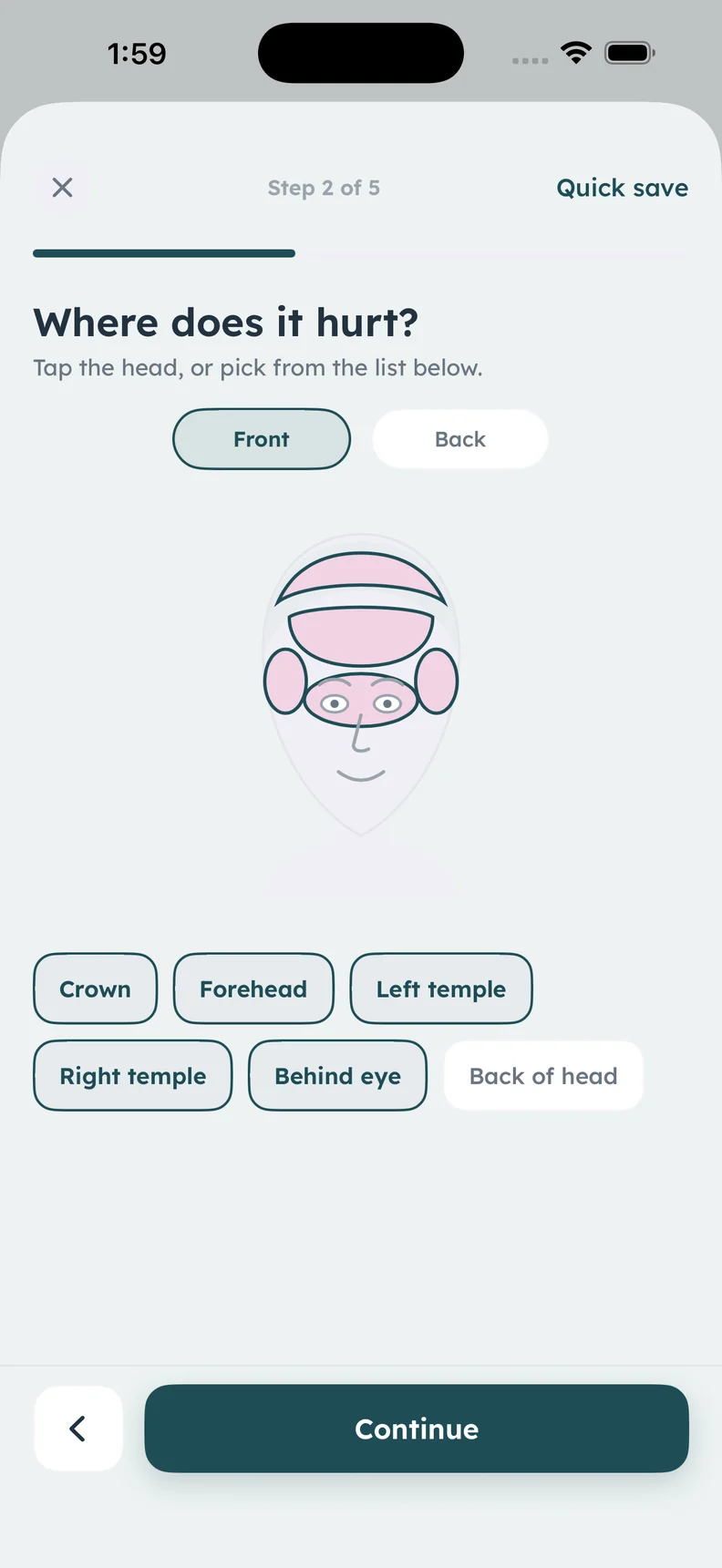
Real app head map. Highlighted areas are sample selections.
A CLOSER LOOK
What it helps
you keep track of.
- A head map for pain location
- A consistent 1–10 pain scale
- Location and intensity in one attack entry
- Notes for detail beyond the selection
Choose the place you want to remember
The head map includes areas such as the forehead, crown, temples, behind the eye, and the back of the head. Record the area that fits your experience, then use a note if the location needs more explanation. A marked area is a description, not a diagnosis based on location.
Use the same scale from entry to entry
Calmira offers a pain scale from 1 to 10, with descriptions ranging from mild to unbearable. The number is your own record of that moment. Keep your meaning consistent when looking back, and add a practical note about how the pain affected your day when that is useful.
Preserve uncertainty when details change
If the pain moved, changed intensity, or is difficult to locate, include that in the entry rather than forcing a precise description. An estimate labelled as an estimate preserves what you remember without making the record look more certain than it is.
Review the whole entry
Location and intensity are most useful beside timing, other symptoms, medicines taken, and your notes. Calmira keeps these details in the same diary workflow. A clinician can consider the history in context; the map itself cannot identify a cause or recommend treatment.
ABOUT THIS FEATURE
A little more clarity.
Does the head map explain the cause of a headache?
Can I add context to the pain number?
KEEP THE PICTURE CONNECTED
Connect the rest of your diary.
Keep the detail, the context, and the conversation connected. Explore the tools and guidance that fit this part of your routine.
Record your migraine symptoms
Record migraine symptoms such as nausea, light sensitivity, dizziness, and your own observations beside each attack in the Calmira iPhone app.
Take a closer look In the appKeep an attack duration log
Keep start and end times with Calmira’s in-app attack timer. Record an ongoing migraine, end it later, and preserve duration alongside your diary notes.
Take a closer look Practical guideMigraine Log Example: What to Record in One Entry
See a clearly fictional migraine log example and learn how to record timing, symptoms, medicines, impact, and uncertainty without filling every field.
Take a closer lookYOUR NEXT CHAPTER, WITH A LITTLE MORE CONTEXT
Start with today.
Let the picture build.
Your next entry doesn't have to be perfect. It just has to be yours.
For iPhone · iOS 17 or later
Free to download. Optional in-app purchases.